Skip to content
Integrations

Job management integrations

Know where every job is up to without chasing drivers by phone. 

driver using tablet courier van

Reduce your admin

Connect your job management software to MyEROAD and your office sees job progress, vehicle locations and the kilometres behind each job, so invoicing takes less admin. Run jobs in vWork or MyTrucking, or link the software you already use through the Partner Gateway API.
Benefits

How EROAD helps you manage jobs

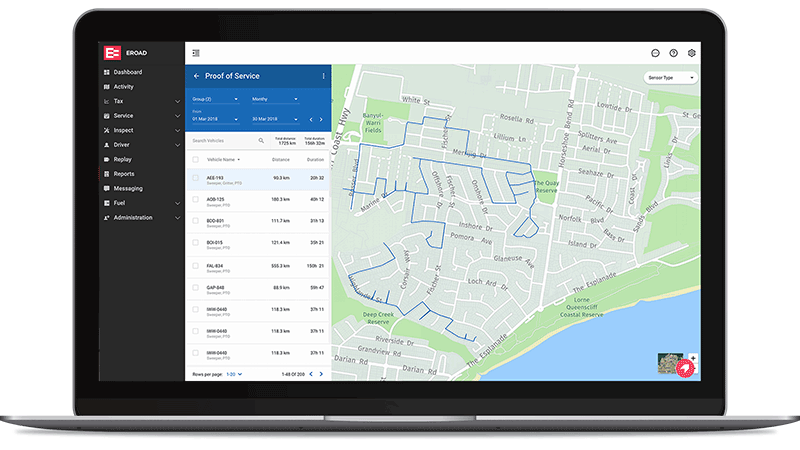
Running jobs is a juggle between customers, drivers and the next job, and paper job sheets and phone calls slow it all down. With your job software connected to your vehicles, dispatch gets the facts from the road and billing gets the kilometres for each job. Add Proof of Service when a client wants proof the work was done, or EROAD Share to bring subcontractor trucks into MyEROAD.

Messaging and job coding

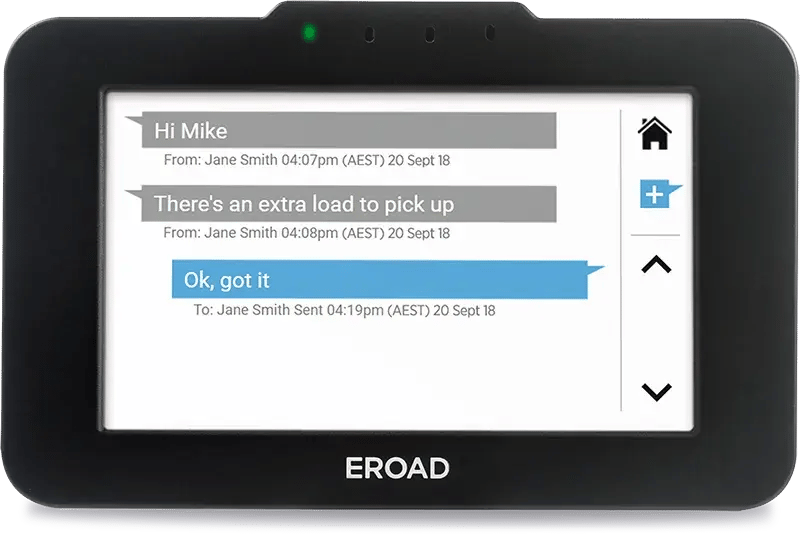
Messages from the office land on the screen in the cab, not a personal phone, and the driver can only read or reply once the vehicle’s stopped. Job codes tie each trip’s kilometres to a job, so what you bill has the distance behind it.

vWork and MyTrucking

Either one takes in what the Ehubo2 records: location, kilometres, trip history and geofence activity. So dispatch can see what’s going on out on the road without ringing round the drivers.

The Partner Gateway API

If your jobs are in another system, this add-on feeds it accurate kilometres from MyEROAD, so you can see the distance on each job without working it out by hand.

Features

What you'll be able to do with job management

Send job details to the driver

Two-way messaging lets your team send job details or updates to drivers - without picking up the phone. Drivers can read and reply when the vehicle has stopped.

Job coding connects activity to jobs

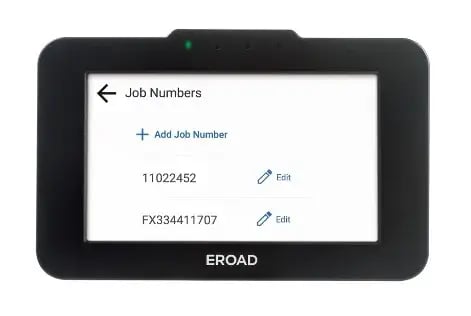
Drivers can add job codes on the Ehubo2 screen, helping to connect activity with jobs.

Connect to your job management platform

Talk to EROAD about our partner gateway API solution. It can help you connect your job management platform with EROAD to reduce admin and improve job information and invoicing.

Match mileage to jobs in MyTrucking

For customers using MyTrucking, your EROAD distance and time data flows through to match against each job's activity and revenue - so you always know how every vehicle is performing, and more importantly, where it isn't. Billing and invoicing is simpler too, with mileage automatically matched to the right job instead of worked out by hand.

Go to MyTrucking website ↗ 

Follow each job's progress in vWork

For customers using vWork, drivers move each job through its stages as they go. The office can see where each job’s up to and gets word when it’s finished. No job sheets to chase. Location and trip date goes from MyEROAD through to vWork.

Go to vWork website ↗
1018_ERD_AU_Ehubo2SS_Messages_straight_shadow 4 driver using tablet courier van mytrucking-logo-hero vWork-logo-600x400-1
Compatible software

Job management software that works with EROAD

MyTrucking

Cloud job software. It matches each job to its kilometres, so billing takes less admin.

vWork

Send jobs to your drivers and let them update the status as they work, so the office knows what's finished.

Your own job software

Keep the system you know. The Partner Gateway API sends it the kilometres for each job from MyEROAD.

See how EROAD connects to your job software

Whether you run jobs in vWork, MyTrucking, other software or still on paper, we'll show you how each job would reach your drivers and what your office would see.