One platform, every kind of work.
The record each industry has to keep, kept for it.
Chain of Responsibility
The record your industry has to keep
See compliance
Choose the right solution for your fleet.
The outcome first, then the kit that delivers it.
Explore the full range of EROAD products.
Each range opens on the page that compares it.
When equipment moves between sites, it's easy to lose track of. EROAD shows you where your equipment and trailers are and how often they're used, so you stop paying for gear you already own and can act quickly when something goes missing.
A paper sign-out sheet might work on one small site. Across larger sites, or several of them, it falls apart: nobody's sure who had the gear last or where it ended up, and gear that's sitting unused on another site gets bought or hired again. Stock takes rely on people counting crates, skip bins and chainsaws by hand, which is slow and often wrong. When something is stolen, you're left piecing together when it went and where, while you deal with police and insurers.

Tracking your equipment cuts the time lost looking for it, and shows you which gear is paying its way.
Look it up in MyEROAD instead of searching across sites, or hiring a replacement for gear that was only misplaced.
Keep your asset register current for the balance sheet without sending team members out to count everything by hand.
Before you buy or hire more, check what you already have and how often it's used. Move gear to the sites that need it, and sell what nobody touches.
Give police and your insurer a clear record of when an asset last moved and where it went, rather than trawling through CCTV footage and asking around.
Whether you run one depot or several job sites, you can track your gear in MyEROAD, from powered plant and trailers down to hand tools.
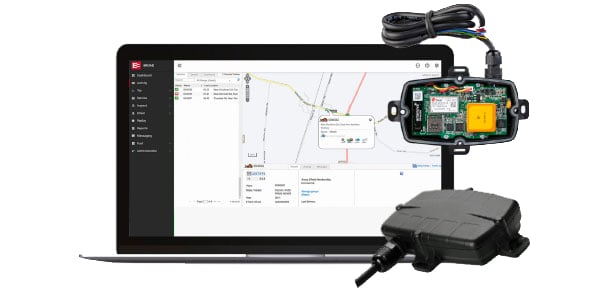
See where each asset is, or where it was last seen, and when it last moved. Add as many users as you need, so site and workshop teams can look things up themselves.
See the MyEROAD fleet map →Draw a geofence around a depot or job site, then see every asset that entered it over a date range, or what was there on a given night. If gear goes missing, you have the history to start from.
Explore equipment tracking →The Utilisation Dashboard in MyEROAD shows how often each asset is used and for how long. It's included with every Etrack tracker, so the numbers are there when you're deciding whether to buy or hire.
Read about fleet right-sizing →Etrack G70 is wired to the machine's power, so it records hours run and idle time as well as location. You'll see which plant and generators are working, and which are just burning fuel.
See idle reporting →If your fleet runs Ehubo2, you can add battery Bluetooth tags that passing Ehubo2 units and phones with the Where app pick up. For a chainsaw or a crate you don't need real-time updates, just enough to go and get it.
See Etrack Where tags →Choose a tracker by the asset: whether it has its own power, and how often you need to know where it is.
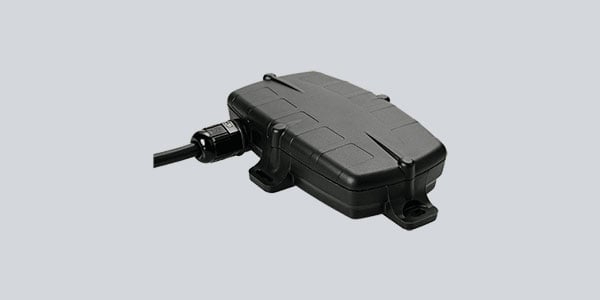
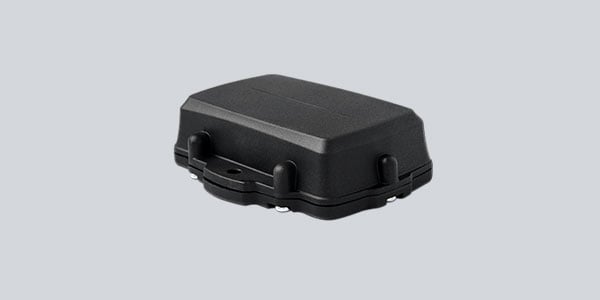
Etrack G70
Hardwired GPS for plant, generators and powered gear
Runs off the machine, so no batteries to manage
Near real-time location, hours run and idle time
See Etrack G70 →
Etrack Oyster3
Battery GPS for trailers and gear with no power
No wiring, it runs on its own battery
Location history and geofence reports in MyEROAD
See Etrack Oyster3 →
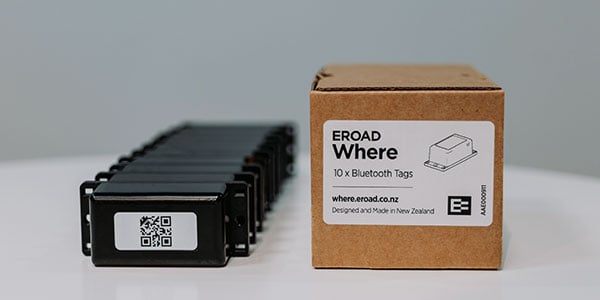
Etrack Where
Low-cost Bluetooth tags for tools, freight cages and bins
Relies on bluetooth mesh network from Ehubo2 and the Where app
Where Mini size for smaller items
See Etrack Where →
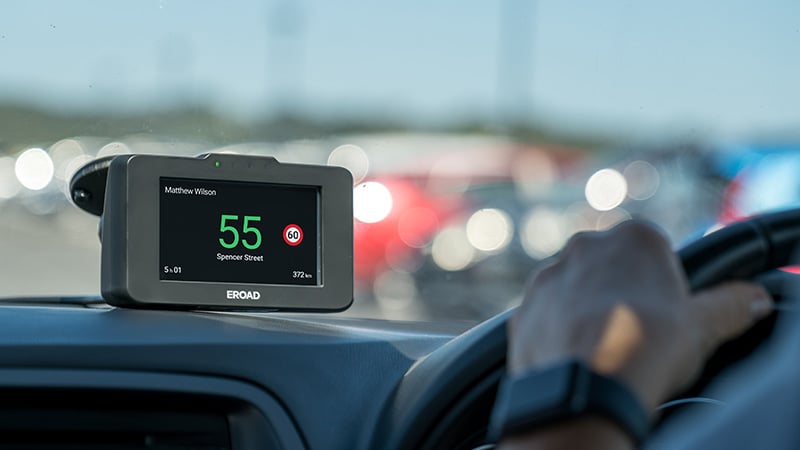
Ehubo2
In-cab telematics for the vehicles in your fleet
Needed for Etrack Oyster 3 and Where tags
Scans for nearby Where tags as vehicles pass
Vehicles and equipment in one MyEROAD login
See Ehubo2 →
Equipment tracking uses GPS or Bluetooth trackers fitted to tools, trailers, plant and other assets, so you can see their location on a live map instead of searching for them manually or relying on sign-out sheets. It works alongside your vehicle tracking in the same system, so everything your business is responsible for shows up in one place.
Tracked assets keep your register current automatically, so instead of sending a team around sites to count crates, bins or tools by hand, your balance sheet reflects what you actually have in near real time.
Tracking alone can't prevent theft, but it is an important part of your asset protection. Opportunists are looking for items that can't be traced to them. Tags and trackers that are wired or securely fixed to an asset makes it more risky for them to steal. Additionally, with geofence notifications you can get notified the minute equipment leaves a site when it shouldn't - so you can contact the police sooner. And with near real-time location updates from our GPS trackers, you have more details to share with the authorities.
Instead of trawling through CCTV footage or relying on memory, you have a record of when the asset last moved and where it went, which you can hand to police or your insurer to support a faster response and a stronger claim. GPS trackers can be used to view location in near real-time. The Oyster3 only reports its location periodically or based on movement but if its stolen you can contact EROAD to enable recovery mode to track its location.
Draw a geofence around each site in MyEROAD, and you can see every tracked asset that entered or left it over any date range, or everything that was on site on a given night, all from one login rather than checking with each site manager individually.
Yes. Powered plant and generators report hours run and idle time as well as location, while trailers and smaller gear report location and movement, and all of it shows up together on the same map and in the same reports.
Tell us what you need to track and where it's kept, and we'll show you which trackers fit and how it all looks in MyEROAD.